🎨 Visual Lab
Edit pictures, resize artwork, make pixel art, trace simple outlines, or export images.
Start: Open the lab, choose an image, then select the edit you need.
Make something dangerous. Build games, bots and artwork. Bring your ideas to life.
KNIGHTFALL / OPEN PORTALS
Your next obsession starts here.
 01 / PLAY
Enter the chaos. Break your record. Own the leaderboard.
Enter the arcade › 02 / CONNECT
Strange minds. Loud ideas. Find your people.
Open the forums › 03 / COLLECT
Adopt a misfit. Raise a legend.
Meet the creatures › 04 / MAKEResize images, make pixel art, trace tattoo stencils, build palettes and share your creations.
Open the Visual Lab ›Create, manage, and test personal bots directly in Creator Foundry with the full studio below.
Got an idea? Pick a tool and make it real. Miss Chaos can help you start.
Edit pictures, resize artwork, make pixel art, trace simple outlines, or export images.
Start: Open the lab, choose an image, then select the edit you need.
Write or tidy code, check JSON, compare changes, and sketch a flowchart.
Start: Paste a short code sample, then choose what to check.
Plan craft projects, estimate materials, and work with basic patterns and 3D previews.
Start: Choose a project and enter the measurements you know.
Get selectable text from supported photos and documents. Check the result for mistakes.
Start: Choose a supported file, extract the text, and review it.
Turn an idea into a project plan with steps, notes, and a reusable brief.
Start: Describe what you want to make and build the first draft.
Draw pixel sprites, pack image sheets, and lay out simple game maps right here.
Start: Open the Production Lab workspace from the Foundry catalog below.
Ask Miss Chaos: “Teach me how to use the Creator Foundry tools, one step at a time.”
Extract text from photos, supported JPEG-backed scanned PDFs, Word files, spreadsheets, and slides locally. Stage an excerpt for Miss Chaos.
Propose a Knightfall or Cinderwild feature, pitch a new card, and track the review.
Store and preview images, check approvals, and copy URLs for use around the site.
Four original theme-art collections, seven new cinematic scenes, and 32 custom SVG ornaments. Filter, preview, download, or copy reusable asset paths.
Search every prompt and answer in the base deck and Madhouse After Hours.
No workspaces or tools match this search.
Preview and download Knightfall branding, site icons, character art, sprites, and game maps.
Primary sprite editor for fish, monsters, weapons, UI icons, tiles, palettes, and frame animation.
Traditional pixel-art and frame-animation workflow with layers, sprite sheets, and onion skinning. Use layers and onion skinning to refine the original creature sprites and export the artwork.
Fast browser-based sprite sketches and simple looping animations without installing a desktop app. Export PNG sprite sheets for review, including monster idle frames and tilesets.
Paint detailed portraits, concept art, textured backgrounds, and illustrated effects.
Create models, weapons, props, lighting, and consistent rendered frames for 2D sprite animations.
High-quality starting packs for interface elements, icons, environments, props, and prototypes.
Community-made creatures, fantasy tiles, effects, music, and sound packs; check each item’s license individually.
Discover specialist sprite packs, backgrounds, sound effects, and UI packs. Free price does not guarantee reuse rights.
Pack separate PNG frames into a texture atlas and export frame metadata.
Generate normal and other lighting maps from 2D sprites.
Build procedural materials and export PBR texture maps for environments and props.
Model, texture, and animate low-poly characters and props in a browser.
Animate vector characters and effects with keyframes and tweening.
Build, tune, test, and publish bots with the full professional editor. Digital Creators and staff get unlimited ownership.
Three working local-first tools: 32px pixel-art editor with frames, PNG sprite atlas packer with JSON metadata, and Tiled-style level painter and exports.
Preview and animate arcade sprites, inspect local images, and export sheets or individual sprites.
Find source, asset references, and cabinets using the shared sprite runtime.
Build layered tile maps, terrain, obstacles, and rooms for dungeons, survival games, and RPGs. Paint layered overworld maps and export JSON with collision markers and NPC positions.
Structured 2D level design with entities and organized level data for room-based or side-scrolling games. Export JSON for connected regions, entity triggers, and scripted routes.
For future standalone or larger games needing scenes, animation, physics, and deeper 2D/3D systems. Existing HTML games need not migrate.
Best first choice for browser arcade games: scenes, input, animation, physics, audio, and mobile scaling without leaving the web stack. Hell & High Orbit candidate. Evaluate Phaser 3 or 4 in an isolated renderer prototype before changing production.
Fast 2D rendering library for particle-heavy shooters, card effects, sprite scenes, and animated arcade interfaces.
Practical browser 3D for isometric scenes, effects, custom monster arenas, and lightweight 3D prototypes.
Event-based game authoring for quick 2D prototypes and browser exports, useful when a game needs iteration faster than custom engine code.
Rust ECS engine for larger native projects, standalone builds, and performance-heavy experiments.
Lightweight cross-platform engine with HTML5 export, useful for polished standalone games that need more structure than a single-page prototype.
Build brush-based 3D levels for retro shooters and other compatible engines.
Browse curated upstream projects, hosting notes and license reminders in the same Foundry.
Source inspector, formatter, diagrams and supervised patch proposals in a dedicated editor.
Edit and layer weapon sounds, creature effects, ambient loops, hit sounds, and UI feedback.
Cross-browser sound effects and music playback for browser cabinets, with a small API that fits Canvas games and mobile input.
Cut trailers and gameplay clips with a multitrack timeline and effects.
Map branching scenes and export a playable HTML story.
Write branching dialogue, conditional choices, and quest scenes in plain text.
Generate and export WAV effects for shots, jumps, pickups, and menu actions.
Stage sprites, publish them to the game-asset store, and review previous releases.
Find the CI audit and tools for browser diagnostics, linting, security scans, and error monitoring.
Reference cabinet for testing keyboard input, swipe controls, touch-pad movement, collision timing, account leaderboard submission, and responsive Canvas rendering.
Run the current original Canvas prototype on desktop or mobile. Use it as a reference cabinet for testing input, responsive scaling, local persistence, issue reporting, and release readiness.
Scan source trees and dependency bundles for license, copyright, package, and provenance clues before any upstream game is copied into Knightfall.
Standardize copyright and license metadata with SPDX identifiers and per-file notices, making provenance easier to maintain as the game library grows.
Automate page loading, JavaScript errors, mobile viewports, navigation, and repeatable smoke checks before a cabinet is marked ready for your one-by-one playtest.
The catalog links to official projects, downloads, and web editors. Review the license before importing any code or artwork. Record each imported asset’s source, exact license, attribution, and affected game in the project asset manifest.
Pitch a feature for Knightfall or Cinderwild, suggest a Cards Against Chaos card, or share another idea. Admins can accept or decline submissions.
Search the base deck and Madhouse After Hours. Mature humor.
Upload game and site images as PNG, JPEG, or WebP. Preview the optimized PNG, then submit it for approval or publish it as an Admin.
On Android, use Choose from Photos for the system photo picker. If Google Photos cloud-only items are not offered by your Android browser, open that picture in Google Photos, save or download it to your device, then choose it here. Cloud photo providers are controlled by Android, not this website. You can also drop or paste a photo from your clipboard.
Choose an image to get started.
Digital Creators submit prepared photos here. Only Admin and God roles can approve or reject. Pending artwork is private.
Loading review queue…
Open an image to preview it, or copy its URL for a game or site page.
Loading asset inventory…
CREATOR FOUNDRY / SAVED ORIGINALS / NINE COLLECTIONS
Browse the original Egyptian Eclipse, Dark Lord, Korriban and Mustafar collections, five recovered theme packs, and the custom SVG ornaments. Each new pack includes its environment preview, high-resolution original sheet and WebP asset sheet. Assets are checksum-verified and stored on Knightfall.
Original art vault and future theme blueprint studio. Choose a live look in the Theme Forge; only authorized GOD/Isis publishing updates the site. Theme recipes stage artwork without granting publishing rights.
ORIGINAL VECTOR THEME KIT / LIVE COMPOSITION
Select a collection below to preview its original ornaments. This is a design preview, not a published site-theme switch.
Loading verified original artwork from Knightfall…
Original artwork for the site, character concepts, horror, skeletal creatures, relics and game graphics. Concept sheets are references, not automatic animation frames.
Site favicon, home navigation, app installation, and visual identity.
Save transparent PNG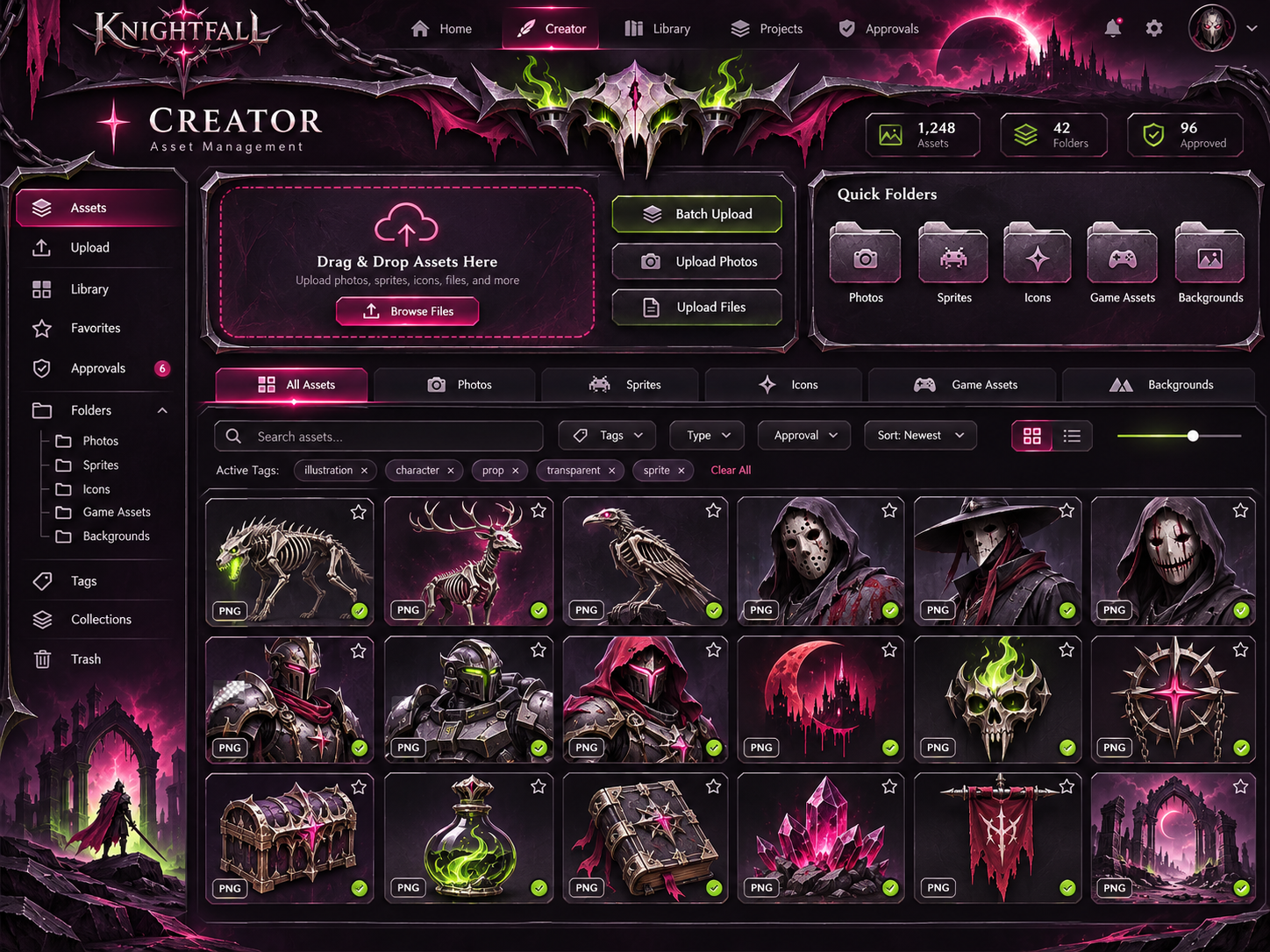
Sitewide colors, polished panel surfaces, metallic edges, atmospheric eclipse styling.
Save concept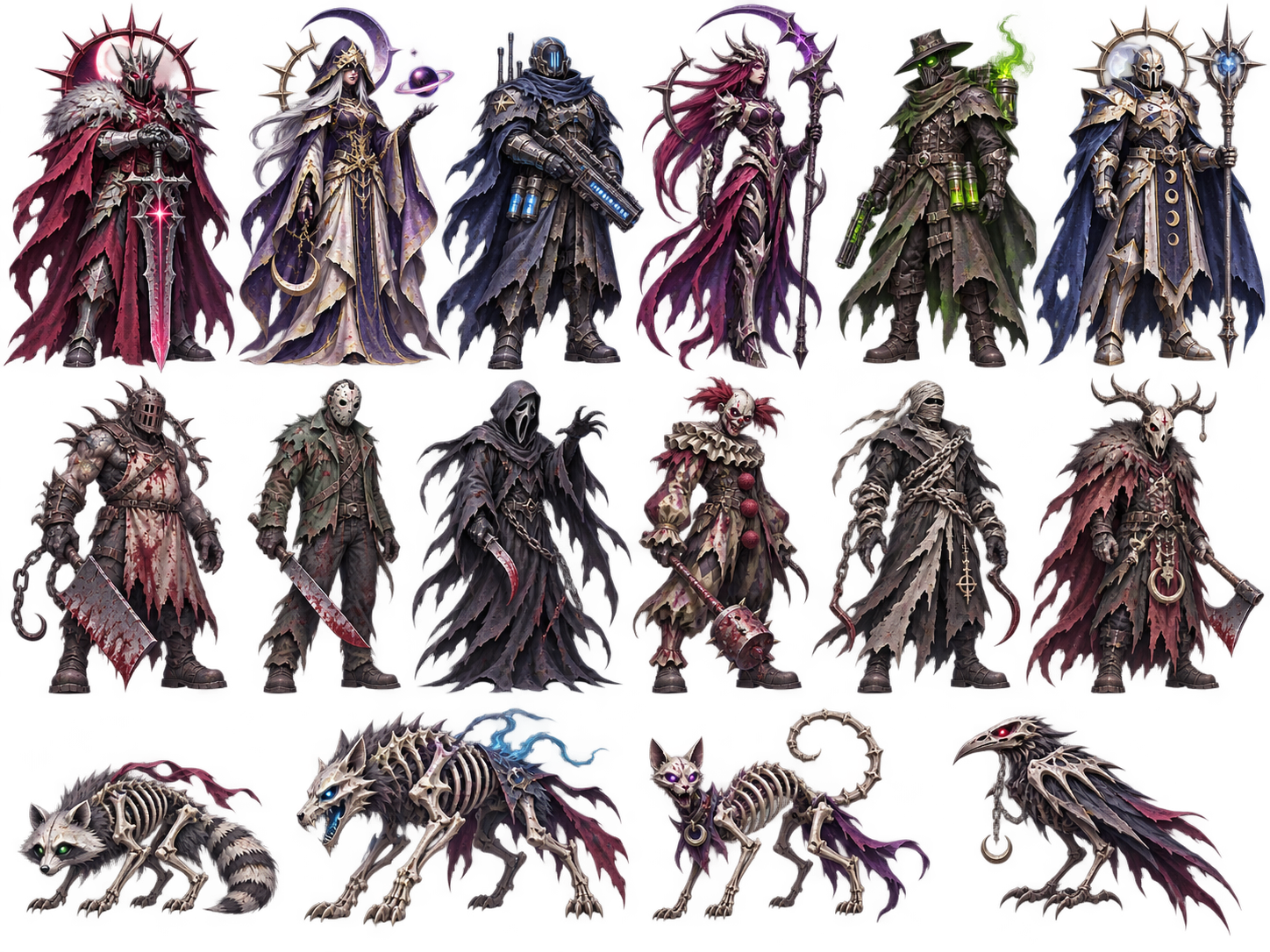
Bone beasts, masked antagonists, cosmic knights, and horror-inspired original characters.
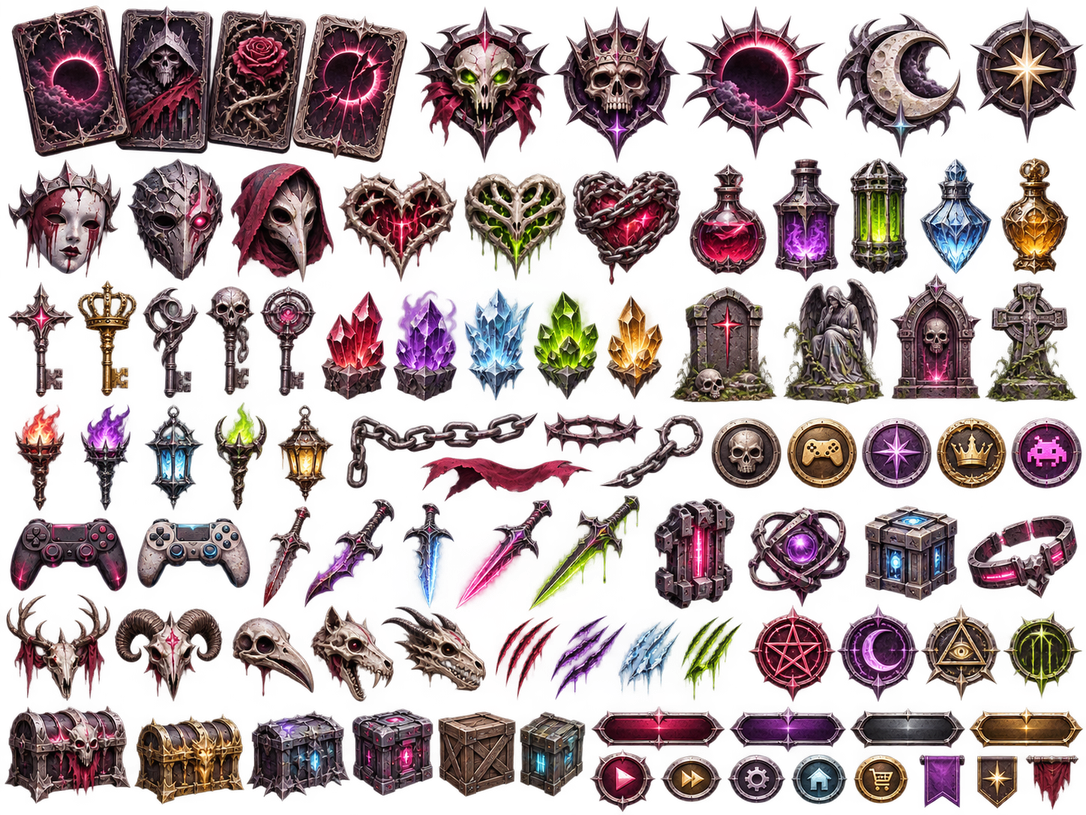
Game props, card artwork, interface tokens, collectibles, chests, weapons and symbols.
Browse 16 named static sprites. Download the ZIP for clean transparent, individual files. These are concept art assets, not animation frames.
Preview breathing, running, jumping, attacks and damage reactions. Motion is calculated from still artwork, not a multi-frame animation sheet. Export a transparent PNG of the current pose.
Preparing character renderer…
Twelve individual reusable crops from the original relic collection. Preview and export PNGs for inventory, HUDs, cards and game menus. Use these as static graphics, not animated sprites.
Repository diagnostics and automation sources for administrators. Tool source links are not installed agent integrations. The GitHub Actions audit publishes diagnostic reports.
Integrated · test APK workflow on main
Build a debug-signed Android launcher using hosted JDK 17, Android API 36 and Gradle, without requiring Android Studio. Test artifacts stay in GitHub Actions; production signing is separate.
Apache-2.0 · TWA packaging tool
Open-source PWA-to-Android generator and validator. Available for release packaging; requires a locally managed signing certificate and verified Digital Asset Links.
Apache-2.0 · integrated in Android test build
The launcher library used by our new Gradle scaffold to open Knightfall as a TWA when domain verification passes and otherwise fall back safely to a Custom Tab.
Command-line SDK active in CI · PWABuilder external
Android command-line tools compile and inspect test APKs. PWABuilder is a useful GUI alternative for reviewing web installability and TWA configuration.
Knightfall · Active workflow
Syntax checks, existing security audits, advisory Biome lint and Semgrep scans. Review reports in GitHub Actions.
Browser automation · Agent-host setup needed
Potential browser control for visual reproduction, navigation, and UI tests. Existing Playwright CI is separate from MCP.
Performance and network diagnostics · Not connected
Browser console, request inspection, performance profiling and screenshot capture through a permitted MCP host.
Linting · Advisory CI
Fast JavaScript diagnostics; report problems without rewriting existing project files.
Static security analysis · Advisory CI
Scan code patterns and potential secrets with a report for human review. Scanner findings are not automatically fixes.
Error monitoring · Candidate, not deployed
Potential centralized error reports and release regression signals; requires privacy, retention and hosting review.
Implementation inventory: Developer Arsenal Guide. Production and repository write access remain separately authorized.
Shared logo and icon masters for the arcade, app, browser tabs, game pages, promo art, and future Ash-Fall projects. The previous ember logo is archived here rather than overwritten.
 Master logo · PLAY DIRTYDownload logo SVG
 Current app / browser iconDownload icon SVG
 Archived original ember iconDownload old icon SVG
 Archived original Ash-Fall logo / wordmarkDownload old logo SVG
Palette: hot pink #ff27ce · acid green #c7a77c · midnight #07070b. App shortcuts and push notifications use the new icon; the old flame is preserved as an archive asset.
This gallery displays the exact PNG artwork, not SVG redraws. Once the PNG files are published under /assets/devil-tools/original-icons/, they load automatically for everyone. Until then, administrators can preview the complete original collection by selecting the 24 PNG files from the icon pack on this device.
Checking published original icon assets…
Complete original neon icon set for Ash-Fall, Forums, Messages, Friends, Profiles, Creator Foundry, Arcade, Shop, Donate, Adults 18+, Dating, Bots, Miss Chaos, Church, Library, Open Source Arsenal, Media Vault, Games, Settings, Ranks, Calendar, Astrology, Help, and Admin. Each SVG can be downloaded individually. These are vector reinterpretations of the concept sheet, not pixel-for-pixel crops.
Loading icon library…
Choose a visual candidate for the Ash-Fall app. These are downloadable original SVG masters. The currently installed app icon changes only after its manifest is updated and the app is reinstalled or refreshed by the operating system.
Select a design to preview and remember your preference in this browser.
Enemies, projectiles, pickups, hazards, terrain, effects, and UI icons. Sixteen original transparent SVG assets, sized for arcade games. Use /gravewave-sprites.js to preload and draw them on canvas.
Loading game sprites…
Game sprite manifestMeet the original neon-horror character crew. Minion Mouse, Mini Villain, and The Eddie now have distinct hand-authored silhouettes and four animated expressions each. Preview all available variants, read their character lore, and download editable SVG masters.
✦ Enter the Sanctuary · Adopt a Profile Pet
Loading mascot collection…
View mascot manifestBrowse 135 original vector assets across Gravewave effects, monster sprites, arcade art, and Miss Chaos. All previews use first-party files, and every asset can be downloaded as an editable SVG. The Neon Nuisances mascot gallery above keeps its own animated previews.
Loading original vector assets…
First-party Knightfall games and their original artwork. Every entry links to its playable cabinet, editable SVG source assets, and GitHub implementation. New originals belong in /arcade/original-creations.json; legacy imports are not included.
Loading first-party artwork catalog…
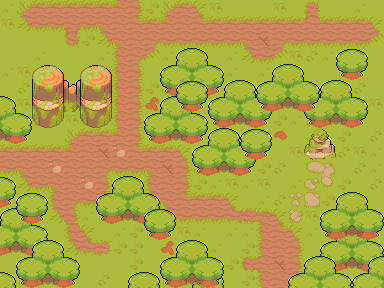
Paint pixel sprites, pack texture atlases and build 2D maps entirely in your browser. These are native Knightfall tools modeled on open-source workflows, not copies of the upstream applications.
Browser-based sprite editing with frame duplication, eyedropper, bucket fill and undo. Import raster art and export PNG frames.
Combine up to 48 sprites into one transparent PNG atlas, then export matching coordinate JSON. Maximum 2048×2048.
Choose PNG, JPEG or WebP images.
Paint ground, walls, hazards and one spawn point. Export orthogonal Tiled-style JSON with a matching prototype PNG tileset.
Save the JSON and tileset PNG in the same directory.
Local-only: no uploads, automatic publishing, or backend writes. Import files you own or are licensed to use.
Original SVG pixel-art sheet for the Chaos Cartridge arcade. Choose a sprite below to spotlight it, or upload a local image to inspect it without sending the file to the server.
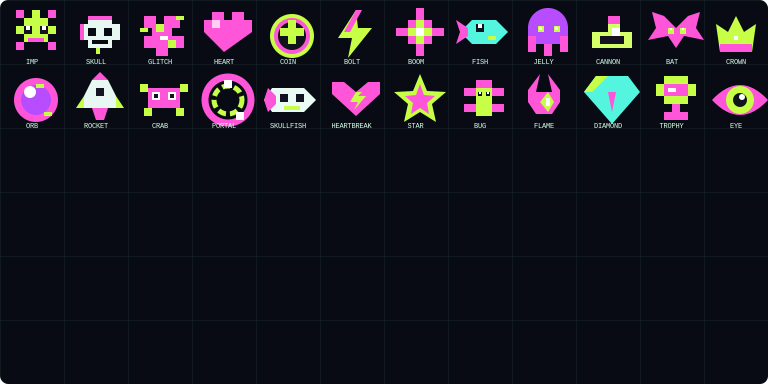
Tap a tile to spotlight its matching sprite name. These tiles are the starter art set for demons, glitches, projectiles, pickups, sea creatures, and arcade UI.
These game pages now load the shared sprite runtime. Canvas games use sprite art in their render loops; the arcade and card shelves receive the shared neon treatment and decorative sprite stamps.


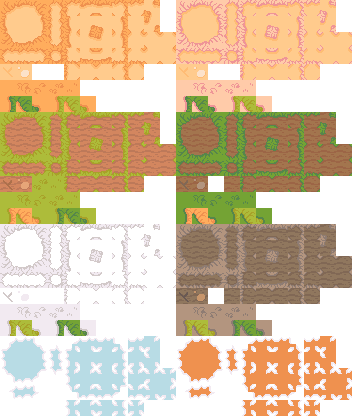 Terrain tiles
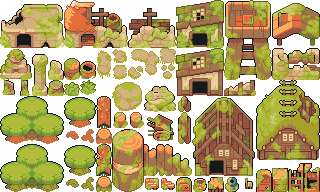 Scenery tiles
 Trainer sprites
 Warden sprites